 SUPPORT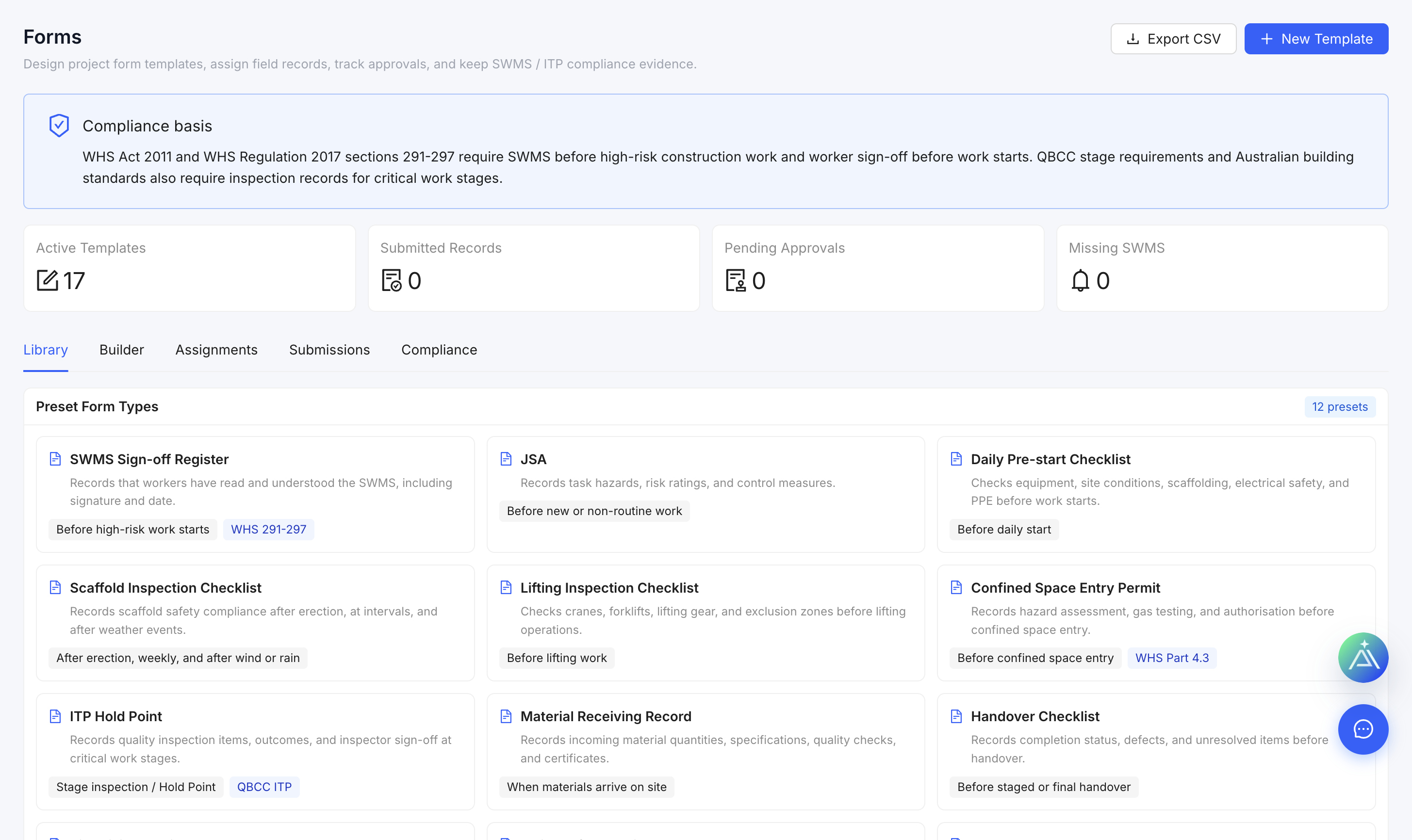
Choose the right starting point
- Open Forms.
- Review the preset library for a suitable safety, quality or administration template.
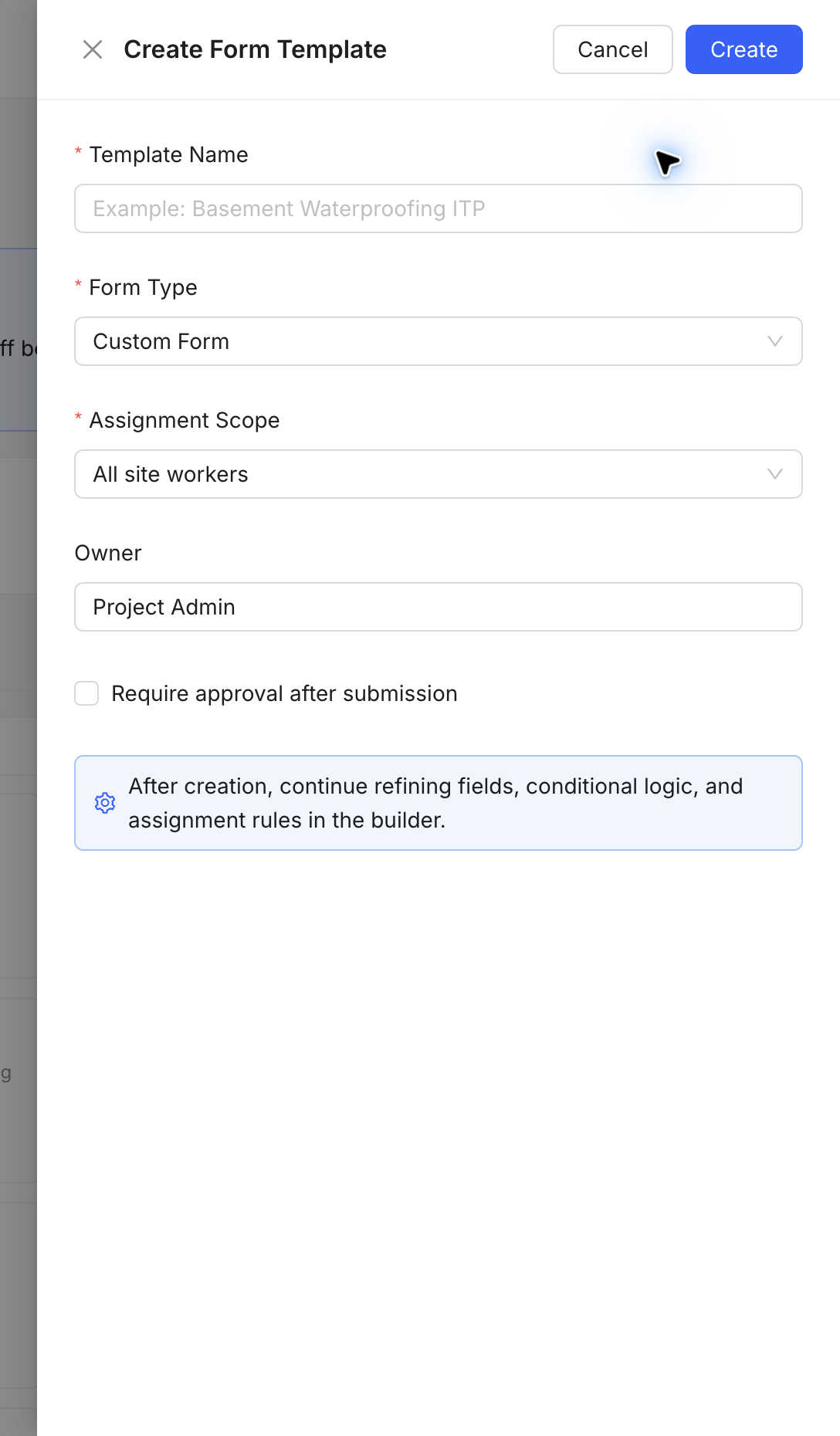
- If needed, select Create Form Template.
- Enter the form name, category, description and project scope.
- Add fields in a logical order, mark required answers and publish only after review.
Use forms consistently
Keep each form focused on one process. Do not duplicate an existing controlled template without a clear reason.