 SUPPORT
Prepare your data
Include a title column for every item. PulseBuild also supports description, status, priority, assignee, start date, due date and milestone fields.
Preview the import
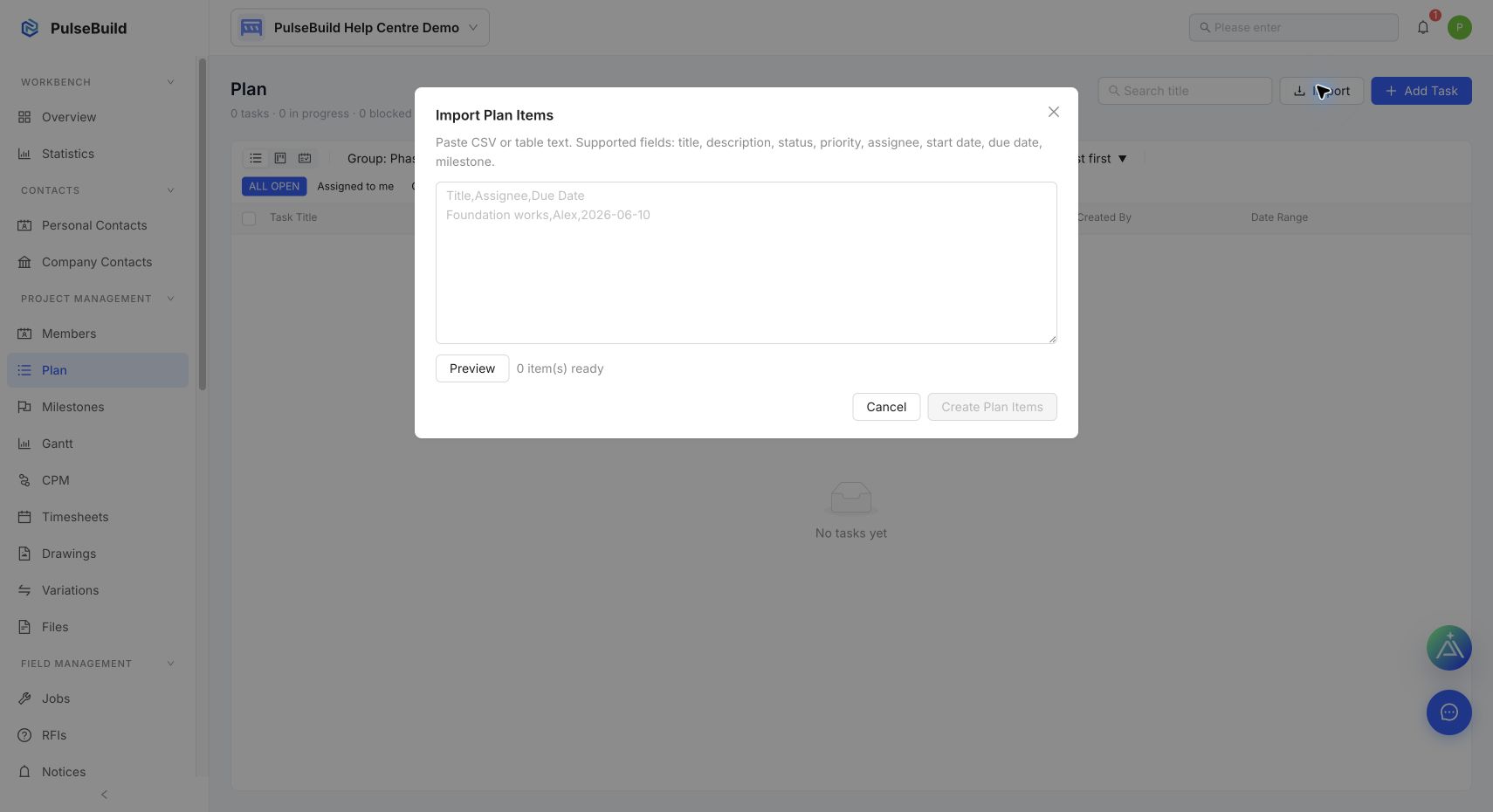
- Open Plan and select Import.
- Paste CSV or table text into the import box.
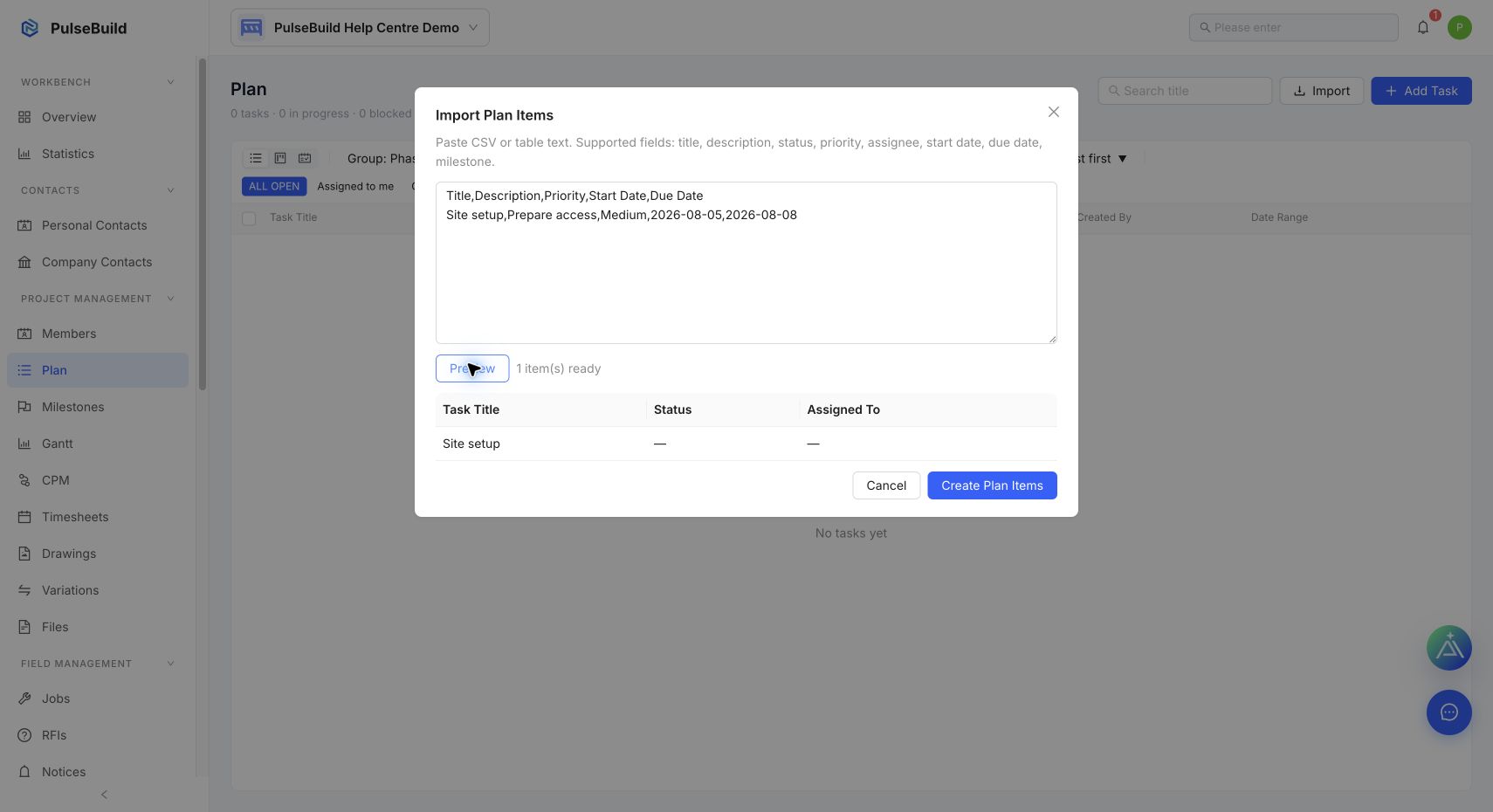
- Select Preview and review the item count and parsed rows.
- Correct the source text if a title or field is missing.
- Select Create Plan Items only after the preview is correct.
Troubleshooting
- No items are ready: make sure the pasted table has a title column and at least one titled row.
- An owner is not recognised: invite the person to the project first, or complete assignment after import.