Less re-entry
Carry the context forward.
Keep scope, drawings and quote revisions connected, so the project team can pick up the work with its history in view.
From leads and quotes to site work and handover, PulseBuild connects your projects and teams – with AI to save time and reduce manual work.
Cedar House
Drawing A-102 · Rev C
Quantities → costs → quote
AI-assisted takeoff, estimating & quoting
Extract quantities from drawings and prepare estimate and quote drafts for your review.
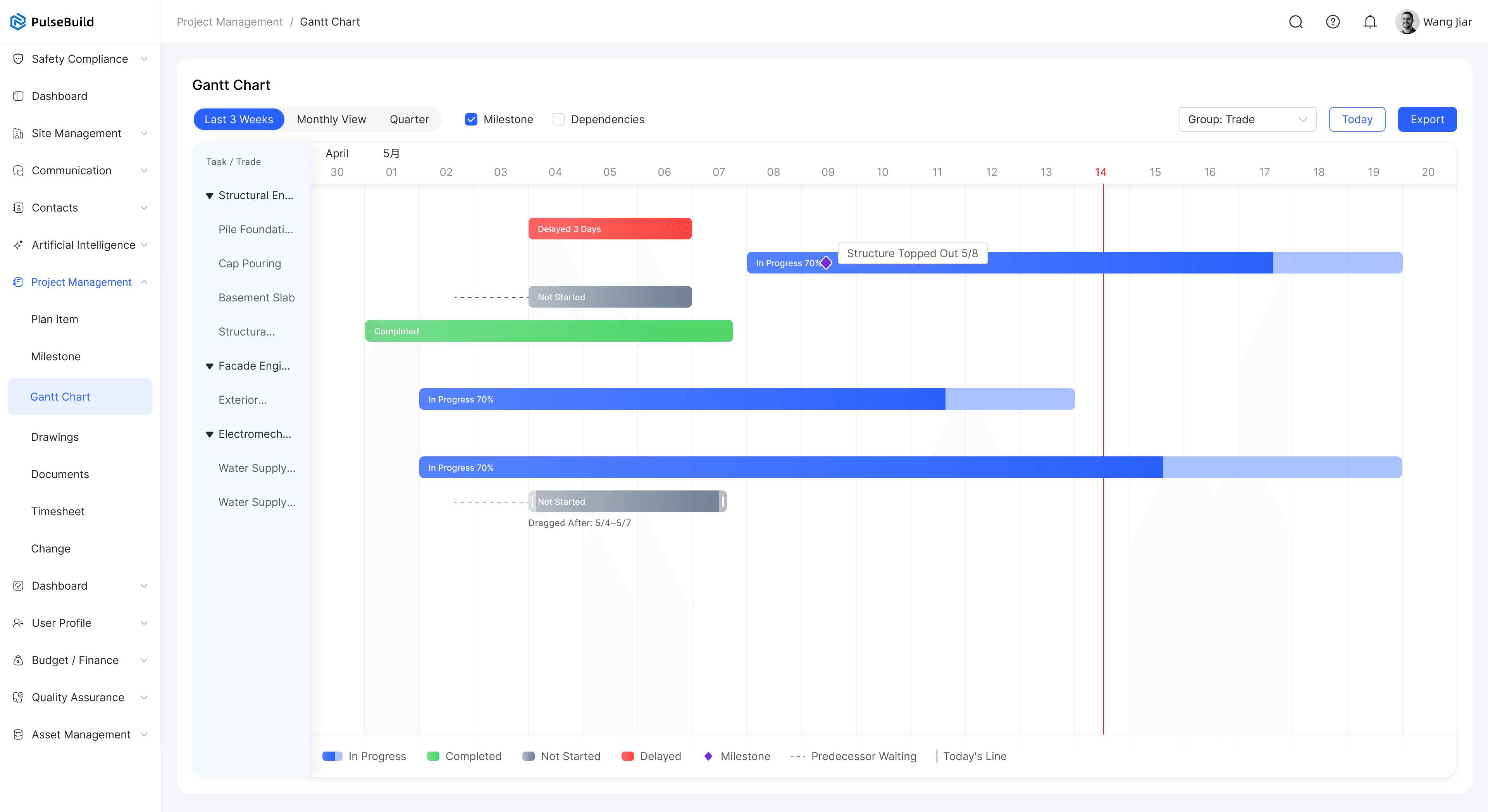
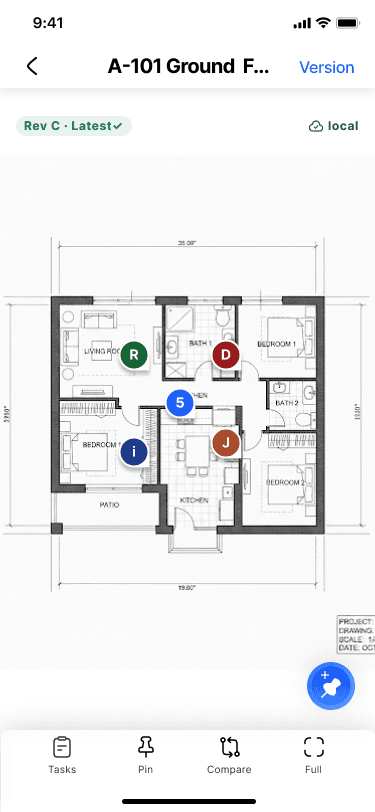
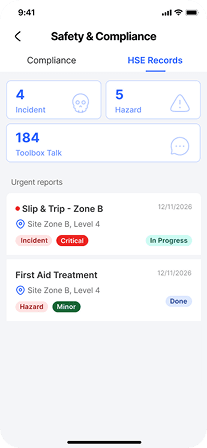
Web in the office. Apps on site.
Use the web for estimating, planning and review. Use mobile for drawings, assigned work, photos, voice notes, diaries and inspections.
Access cached records and save supported field updates locally. Synchronise when you reconnect; AI and live services need a connection.
Connected records. Less manual work.
When project information stays connected, your team spends less time re-entering details, chasing updates and finding the right record.
Less re-entry
Keep scope, drawings and quote revisions connected, so the project team can pick up the work with its history in view.
Less chasing
Link plans, assigned work and site updates, so the office and site can see responsibilities and progress.
Less searching
Link photos, inspections and defect records, so your team can review what happened and what still needs attention.
Practical help with the everyday work.
Ask about project documents, turn notes into draft actions and review changes with source context. Your team stays in control of decisions and approvals.
Cedar House
What needs attention before the next inspection?
Review two open defects and confirm the RFI response before the ceiling inspection.
Sources: inspection checklist · RFI · defect recordsDraft for team review
The tools behind the work.
Connected from the first estimate to the final record.
Connect stages, milestones, owners and dependencies with the work your team needs to complete.
Capture site diaries, photos and RFIs with clear ownership, responses and a reliable project history.
Keep drawings, revisions and documents organised. Link questions and field evidence to the right location.
Bring messages, meetings, notices and actions together so decisions stay connected to the work.
Inspect the work, record defects, assign corrective actions and keep the evidence behind every closeout.
Connect inductions, certifications, safety records and incident follow-up to the people doing the work.
Track budgets, commitments, actual costs, variations and forecasts with the source behind each number.
PulseBuild
See how PulseBuild fits the way you win work, manage delivery and keep your team connected.