 SUPPORT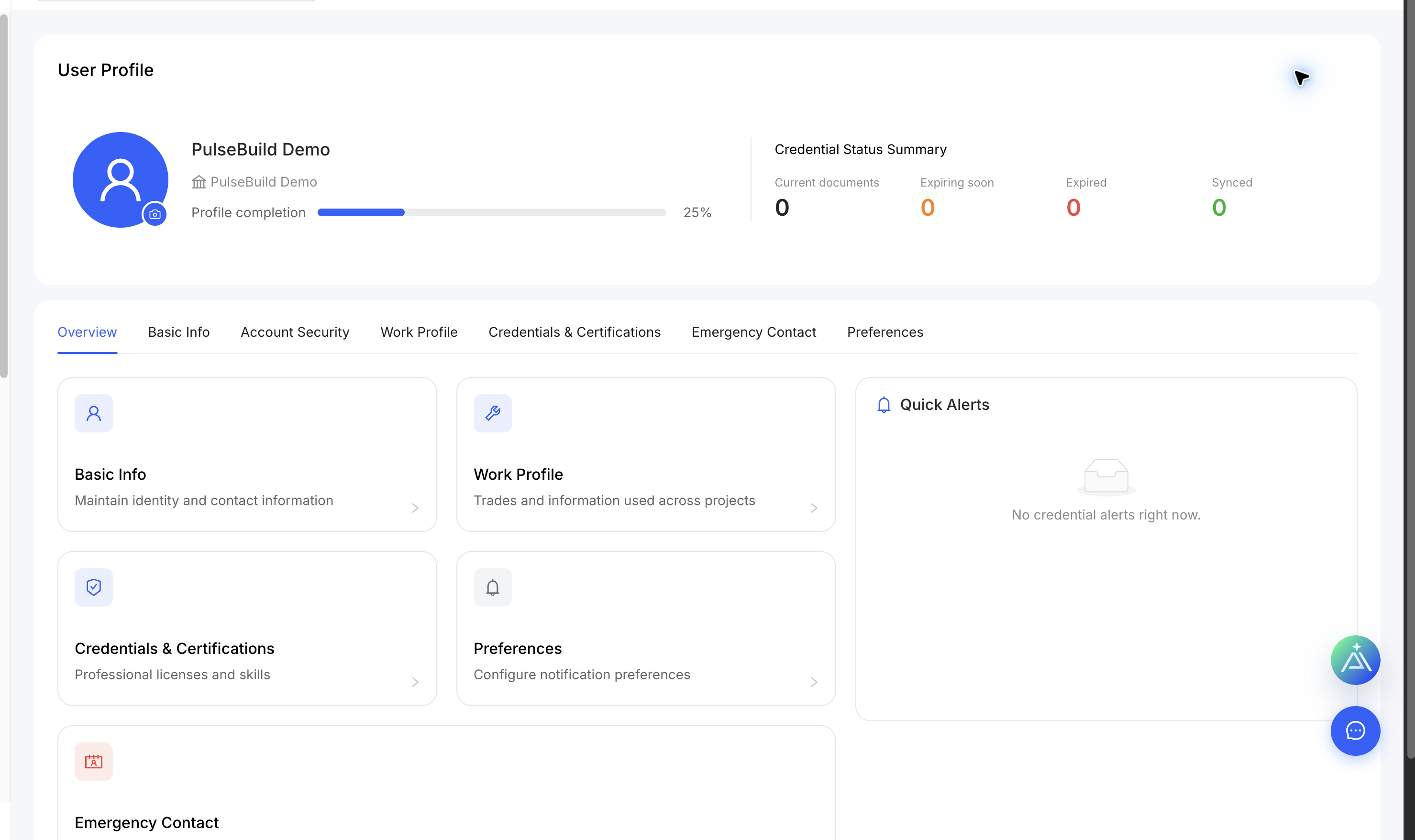
Open your profile
- Open the account menu and select Profile.
- Use the tabs to update basic information, account security, work profile, credentials and emergency contact.
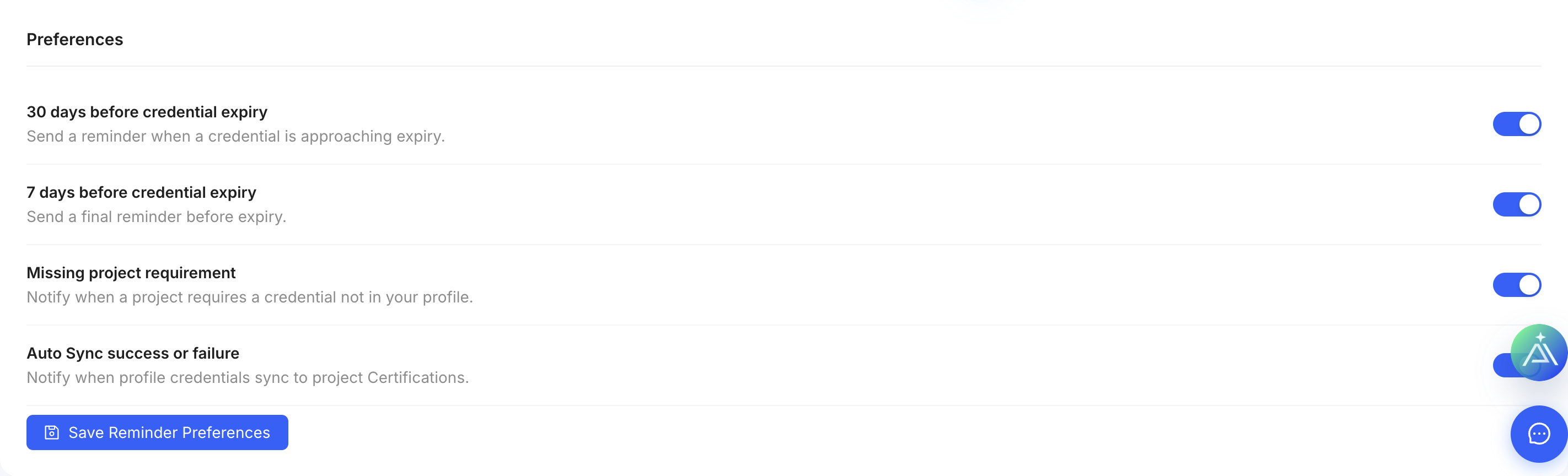
- Open Preferences to control credential-expiry and project-requirement reminders.
- Save each changed section.
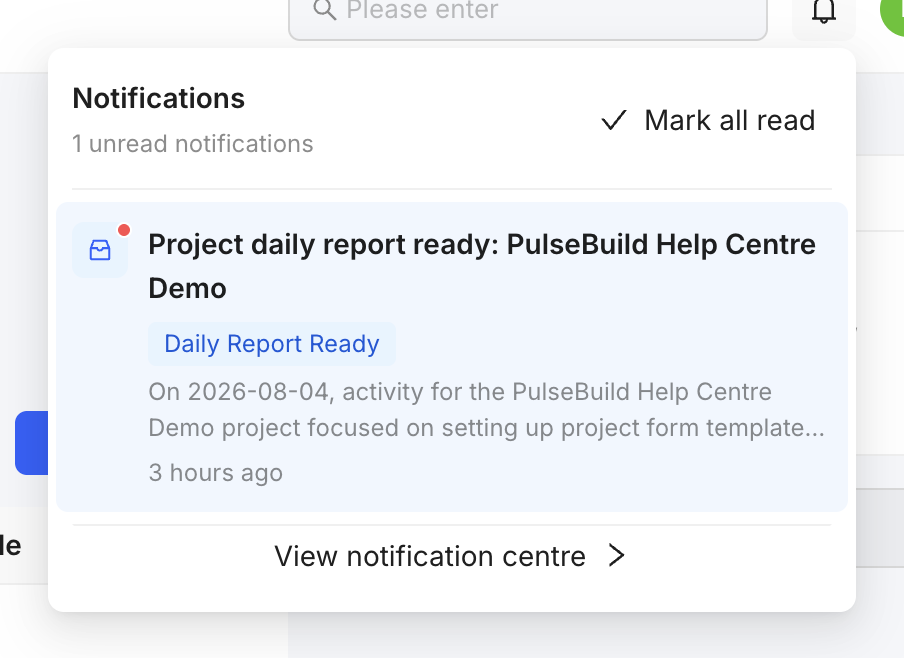
Notification panel
Use the bell to review recent events. Preference switches control reminders; they do not change your project permissions.