 SUPPORT
ℹ️
Phone verification is presented after profile completion. You can select Set up later and continue into PulseBuild without completing it at that time.
Before you start
- Keep the phone you want to use nearby so you can receive a verification code.
- Check that the country calling code matches your number before sending the code.
Bind and verify your phone
- On the Bind Phone Number screen, select the country calling code if needed.
- Enter your phone number.
- Select Send Verification Code.
- Enter the verification code sent to your phone to complete the Verify Phone step.
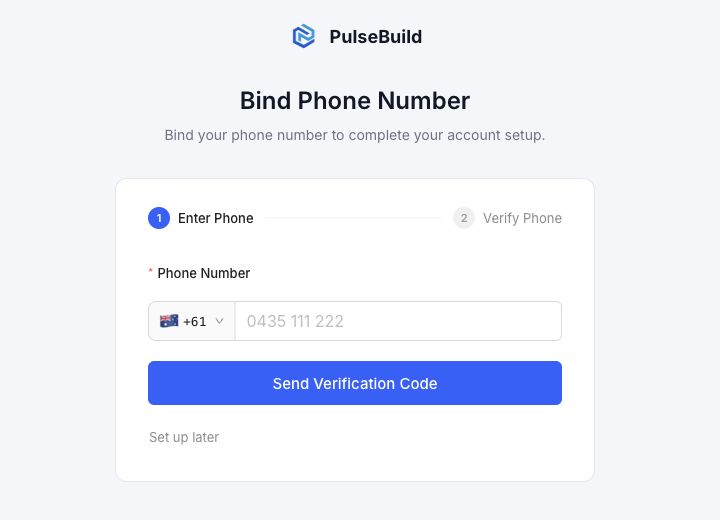
Set up your phone later
If you do not want to verify a phone number now, select Set up later. PulseBuild continues to your Project List, where you can create a project or join one when invited.
Troubleshooting
- The code does not arrive: check the country code and phone number, then request a new code.
- The wrong country code is selected: open the country-code selector and choose the correct code before sending a new code.
- I want to skip this step: select Set up later.
Next steps
When setup is complete, create your first project or join an existing project after receiving an invitation.