 SUPPORT
ℹ️
The profile step appears after you verify a new account. Your name is required; an avatar and job title are optional.
Before you start
- You have created and verified your PulseBuild account.
- You are on the Complete Your Profile screen.
Confirm your profile details
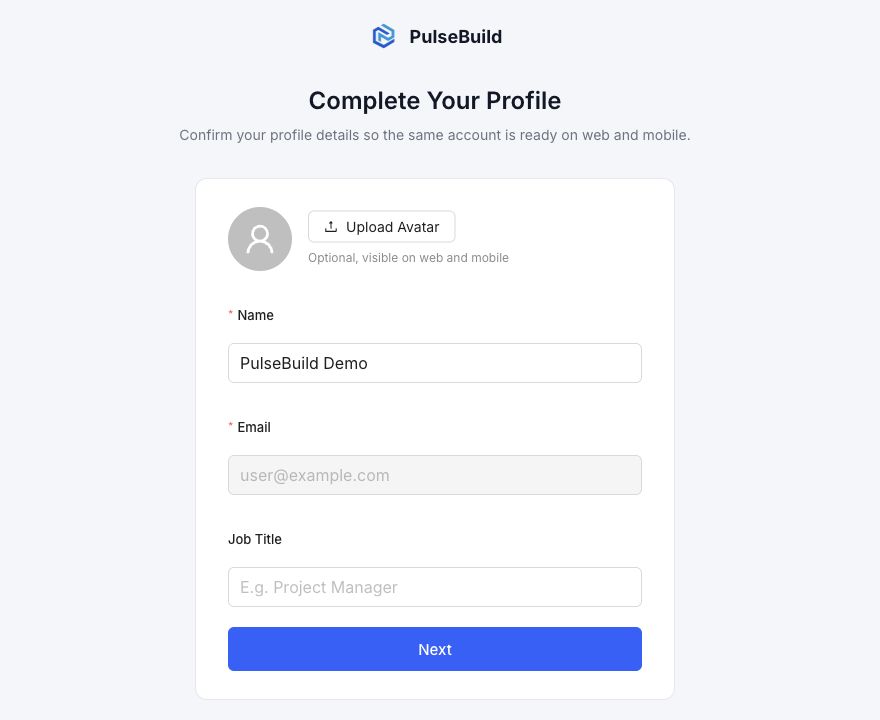
- Review your name and update it if needed.
- Confirm the email address. This field is shown as read-only because it is the address you verified during registration.
- Optionally select Upload Avatar to add a profile image. The image is visible on web and mobile.
- Optionally enter your Job Title, for example Project Manager.
- Select Next to save your profile and continue setup.
Expected result
PulseBuild saves the profile details so the same account is ready to use across the web and mobile apps.
Troubleshooting
- I cannot change my email address: the registration email is read-only on this step. Contact support or your administrator if it is incorrect.
- I do not want to add an avatar or job title: leave those fields empty; they are optional.
- Next is unavailable: make sure the required Name field contains a value.
Next steps
Continue the onboarding prompts, then create your first project or join an existing project when invited.