 SUPPORT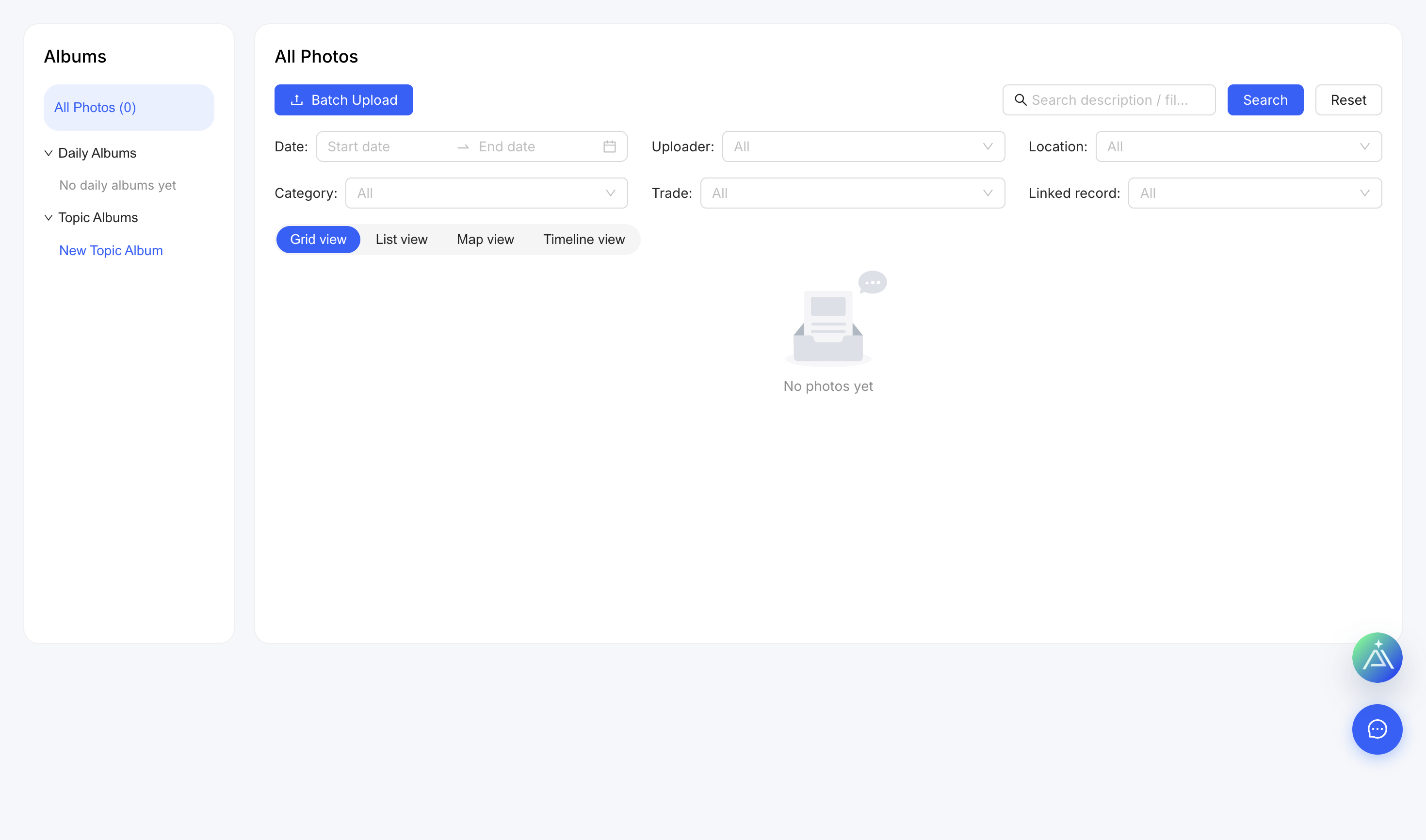
Upload photos
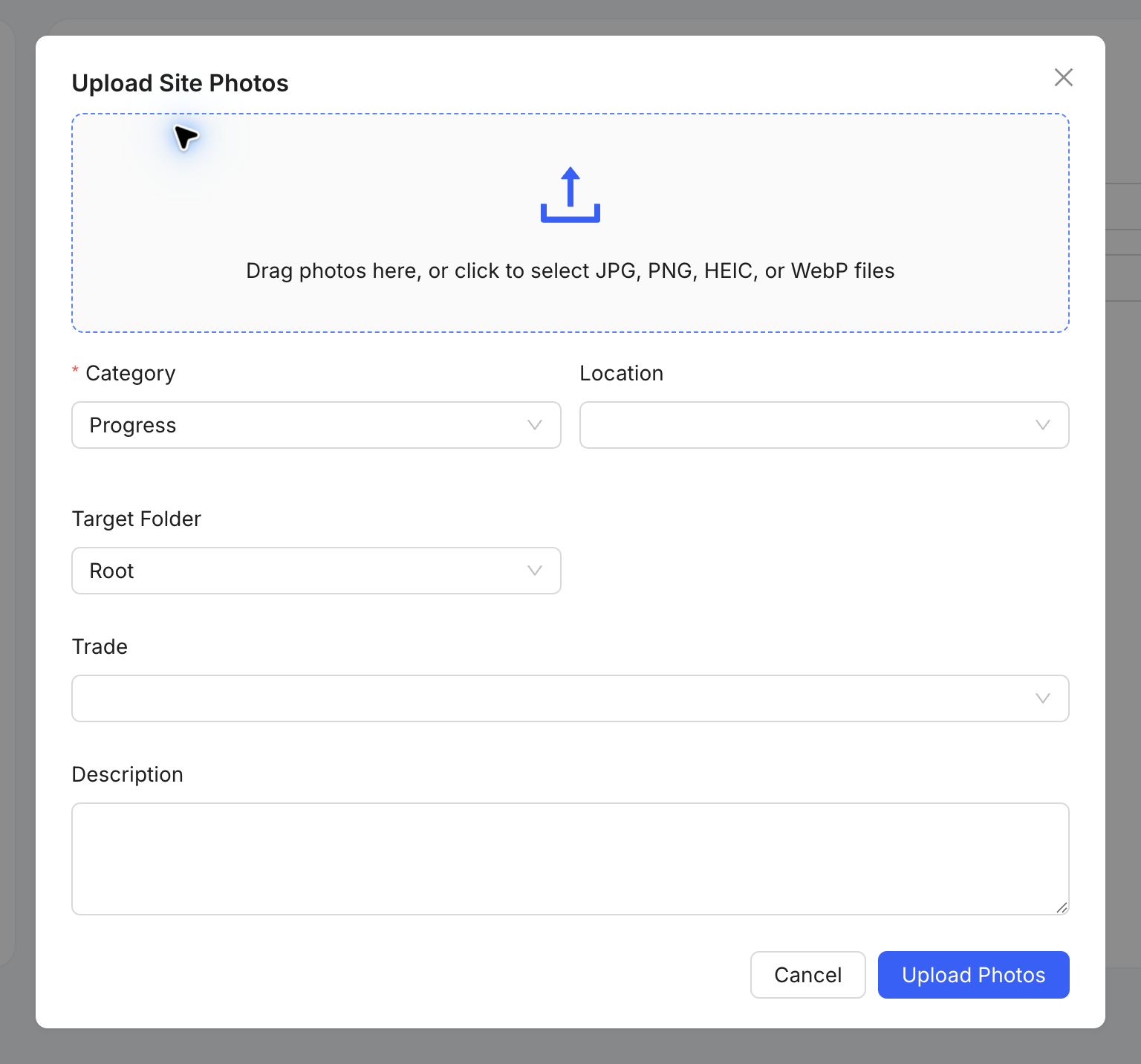
- Open Photos and select Upload Site Photos.
- Choose the images.
- Add category, project location, folder and trade where applicable.
- Write a short factual description.
- Upload and confirm the photos appear in the correct place.
Useful evidence
Capture the overall context and the relevant detail. Avoid uploading sensitive people or information unless required and authorised.