 SUPPORT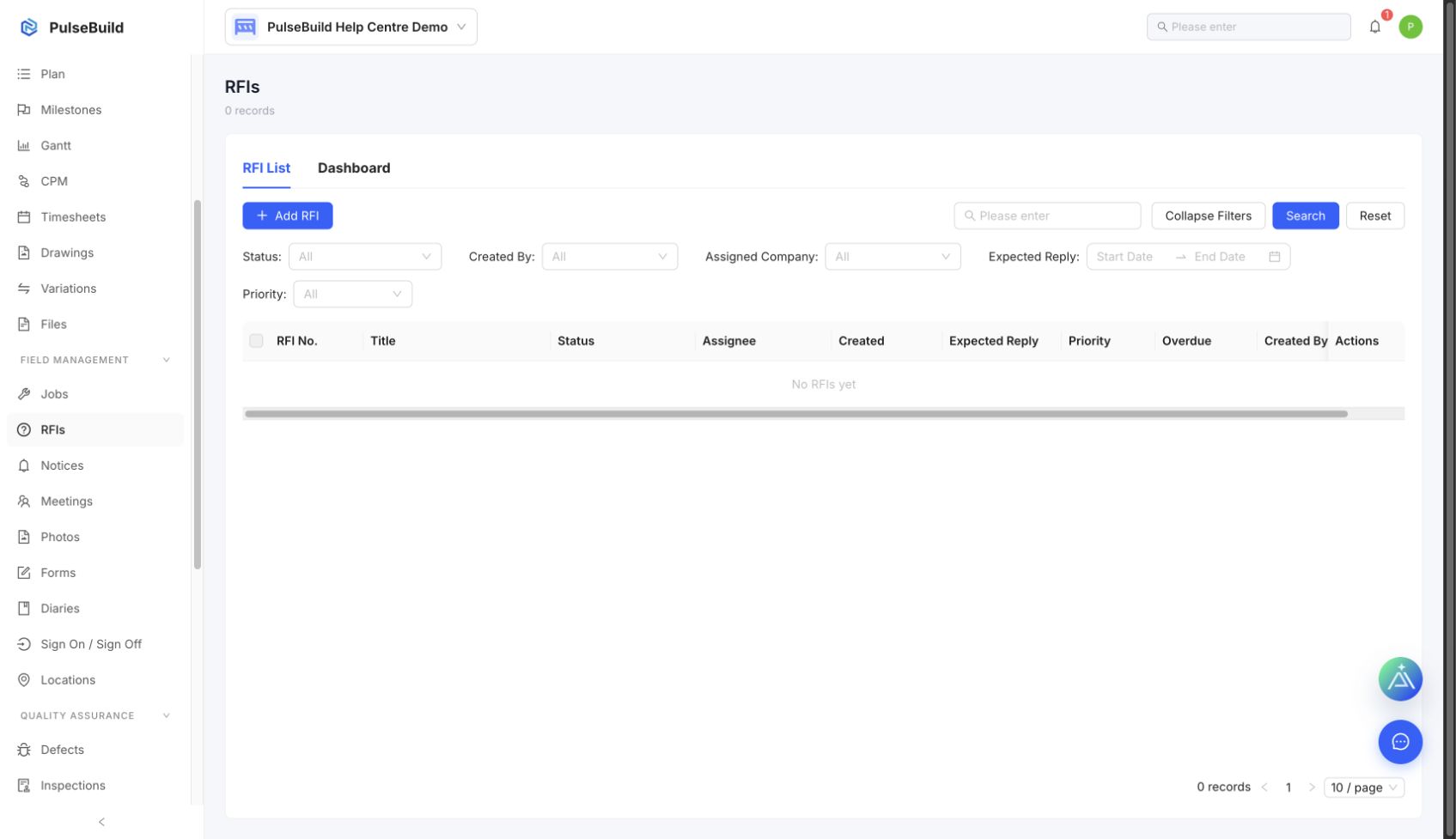
Raise the RFI
- Open RFIs and select the create action.
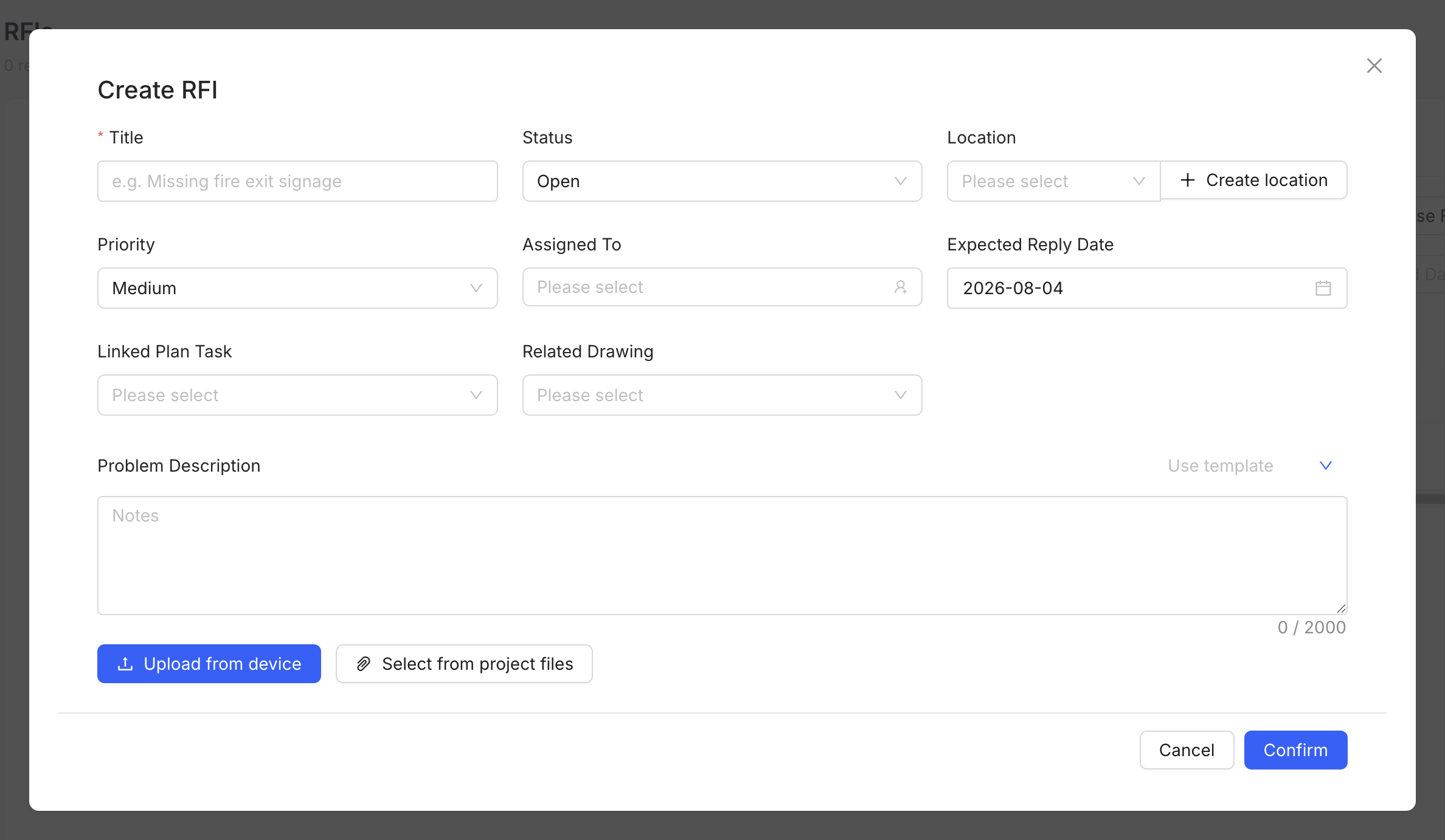
- Enter a concise subject and the question that needs resolution.
- Add the related location, drawing or attachments where relevant.
- Set the responsible recipient and required response date.
- Submit the RFI and track it until it is answered and closed.
Write a useful RFI
State the decision required, include enough context to answer it, and avoid combining unrelated questions in one RFI.