Leads, takeoff, estimating & quotation
From enquiry to a quote you can stand behind.
Keep the lead, scope, drawings, quantities, prices, quote and accepted handoff connected in one pre-construction workflow—so teams can price work with context before it becomes a project.
Turn a drawing into a first estimate
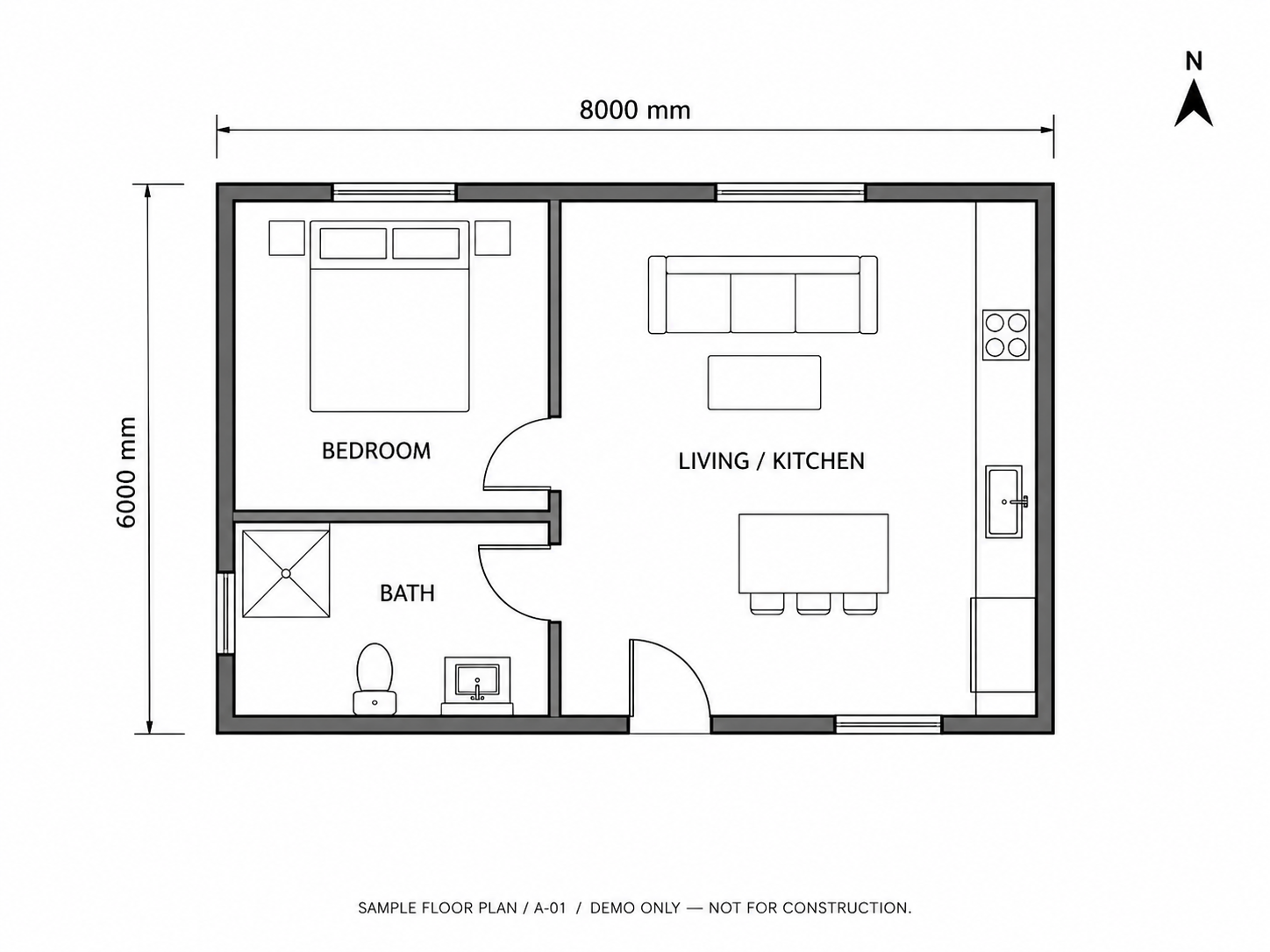
Select a region to explore its material quantities.
Material takeoff
All regions · Sample quantities · Review required
| Material | Basis | Quantity | Waste |
|---|---|---|---|
| Floor finish | Area | 48.4 m² | 10% |
| Wall lining | Perimeter | 118.8 m² | 10% |
| Skirting | Perimeter | 47.25 m | 5% |
| Ceiling finish | Area | 48.4 m² | 10% |
Log in to explore the full estimating workspace.
01Lead pipeline
Give every opportunity a clear client, scope and next action.
Create leads from existing contacts, then manage qualification, scope, site visits, ownership, follow-ups and pipeline stages without creating a project before the work is won.
Qualification and scope
Keep the client, site, scope and supporting files together from the first enquiry.
Site visits and follow-ups
Assign owners, record the next action and keep commercial conversations moving.
Pipeline visibility
Review stages, priorities and won or lost outcomes across the opportunity portfolio.
02Drawing takeoff & estimating
Build quantities and costs from a traceable source.
Measure counts, lengths and areas against drawing revisions, then turn reviewed quantities into labour, material, plant and subcontract cost in the same pricing workflow.
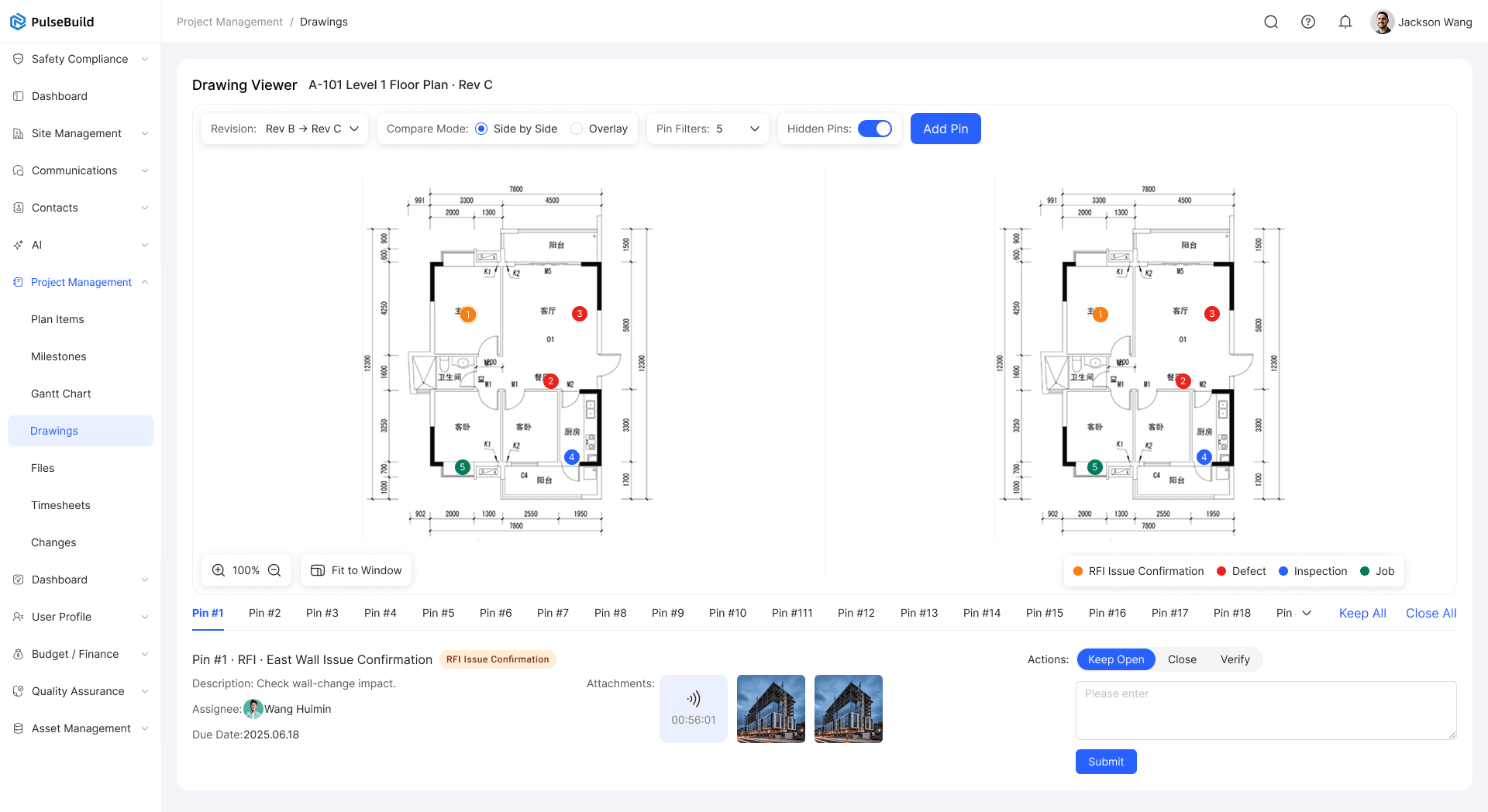
Measured quantities
Use scale, count, length, area, deduction, multiplier and assembly takeoff when the scope needs detail.
Drawing lineage
Retain the drawing revision and measurement context behind each quantity.
Supplier prices and RFQs
Use published supplier prices or project RFQs, with price source and freshness visible in the estimate.
Commercial controls
Manage markup, margin, GST, PC and PS allowances before an estimate is approved.
03Quote and client response
Send a client-ready quote without losing the pricing history.
Prepare an immutable quote version with scope, total price, options and terms, then give the client a clear place to ask questions, request changes, decline, proceed or accept according to the applicable legal profile.
Versioned quotes
Keep the exact scope, price, terms and files seen by the client in a fixed quote version.
Client experience
Present the quote through a mobile-first portal built for reviewing the commercial decision.
Internal approvals
Route the estimate and quote through the required commercial review before it is sent.
04Won handoff
Carry accepted scope into a controlled project start.
After the current effective acceptance, create or link the project and prepare separate draft revenue and budget context from the accepted quote and approved estimate. Budget approval and locking remain controlled steps.
Project creation or linking
Start the delivery record from accepted commercial context instead of re-entering the opportunity.
Separate revenue and cost
Map accepted quote value and approved estimate cost independently for project setup.
Controlled budget handoff
Keep budget approval and locking separate from quote acceptance.
PulseBuild
Bring your next project into focus.
See how PulseBuild fits the way you win work, manage delivery and keep your team connected.