Drawings, documents & project information
Build from the right information.
Manage drawings, documents and revision records in one place. Connect site work to precise drawing locations and reduce scattered information, version confusion and repeated searching.
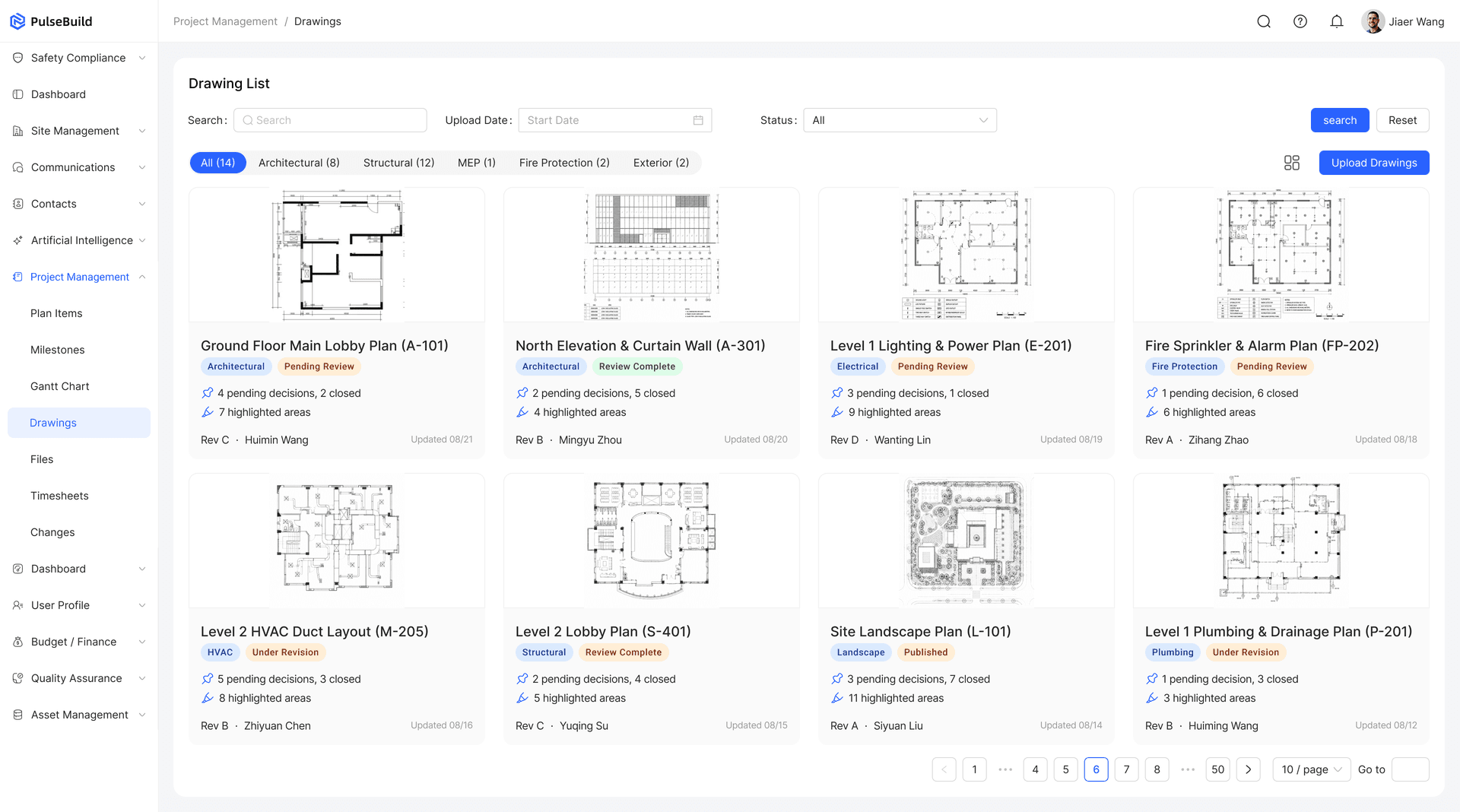
01Drawing management
Find the latest drawings and identify previous versions.
Keep a complete revision history while making the current approved drawing easy to find. Teams always know which version they should use.
Current version
Put the latest approved drawing first.
Revision history
Retain superseded revisions and their history.
Superseded drawings
Clearly identify drawings that are no longer current.
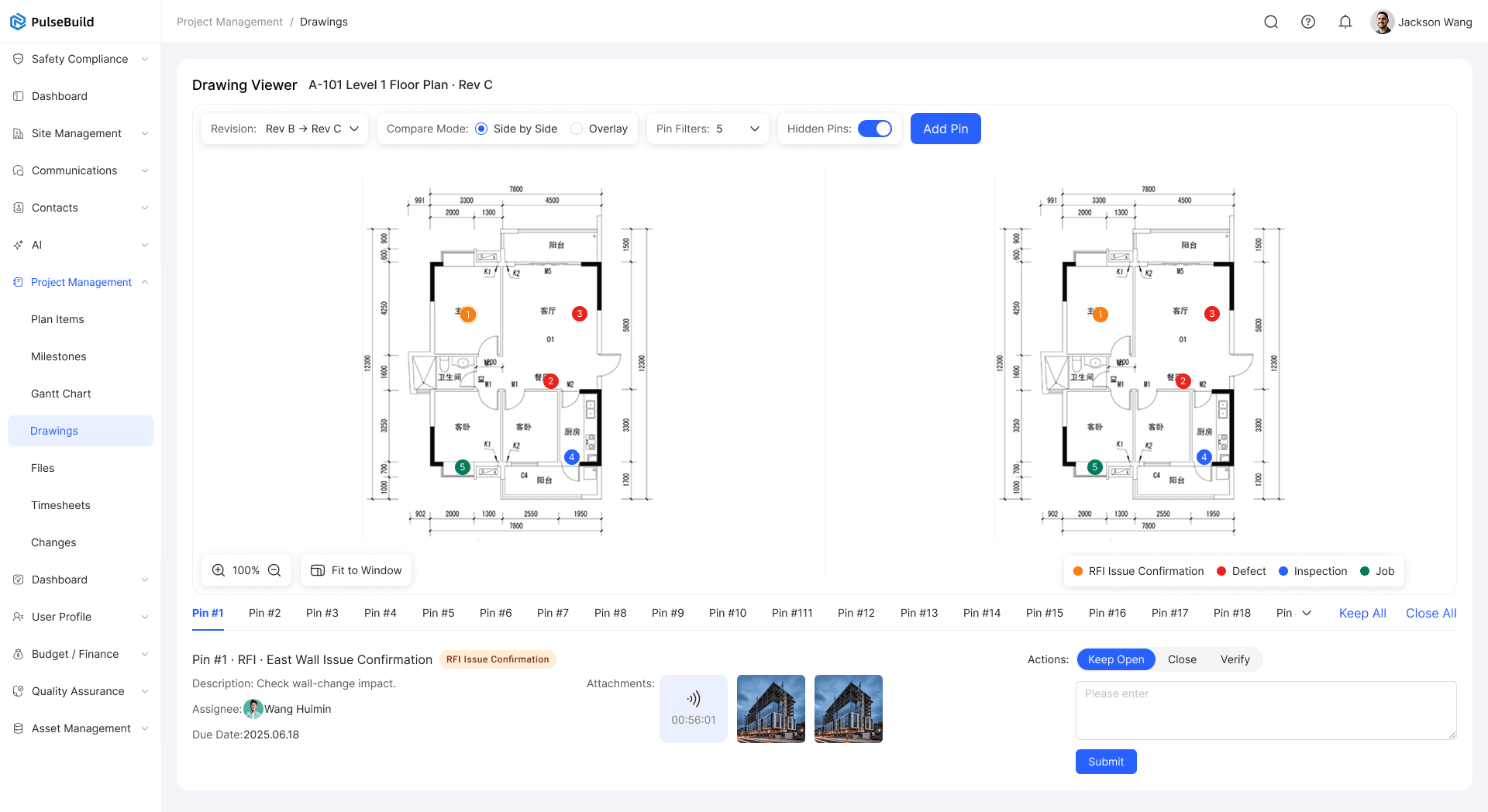
02Drawing issue pin
Give every site issue a precise location.
Link tasks and project records to an exact point on a drawing so the team can act without ambiguity.
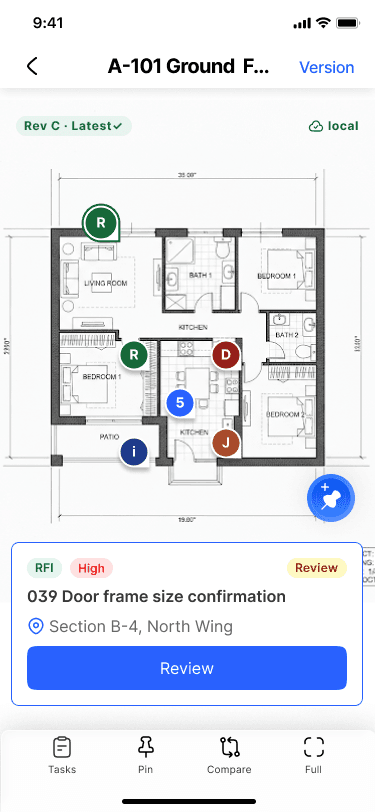
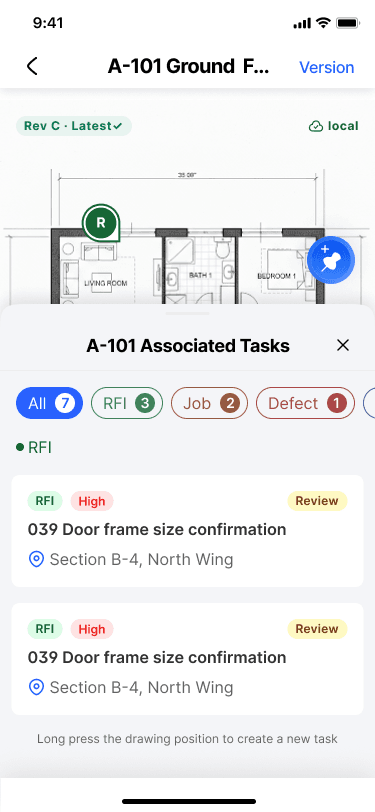
Select drawing location
Place the issue at the exact project location.
Capture the site issue
Add photos, notes and supporting information.
Create a project item
Turn the issue into a traceable action.
Assign an owner
Give the action a responsible person and due date.
03Project documents
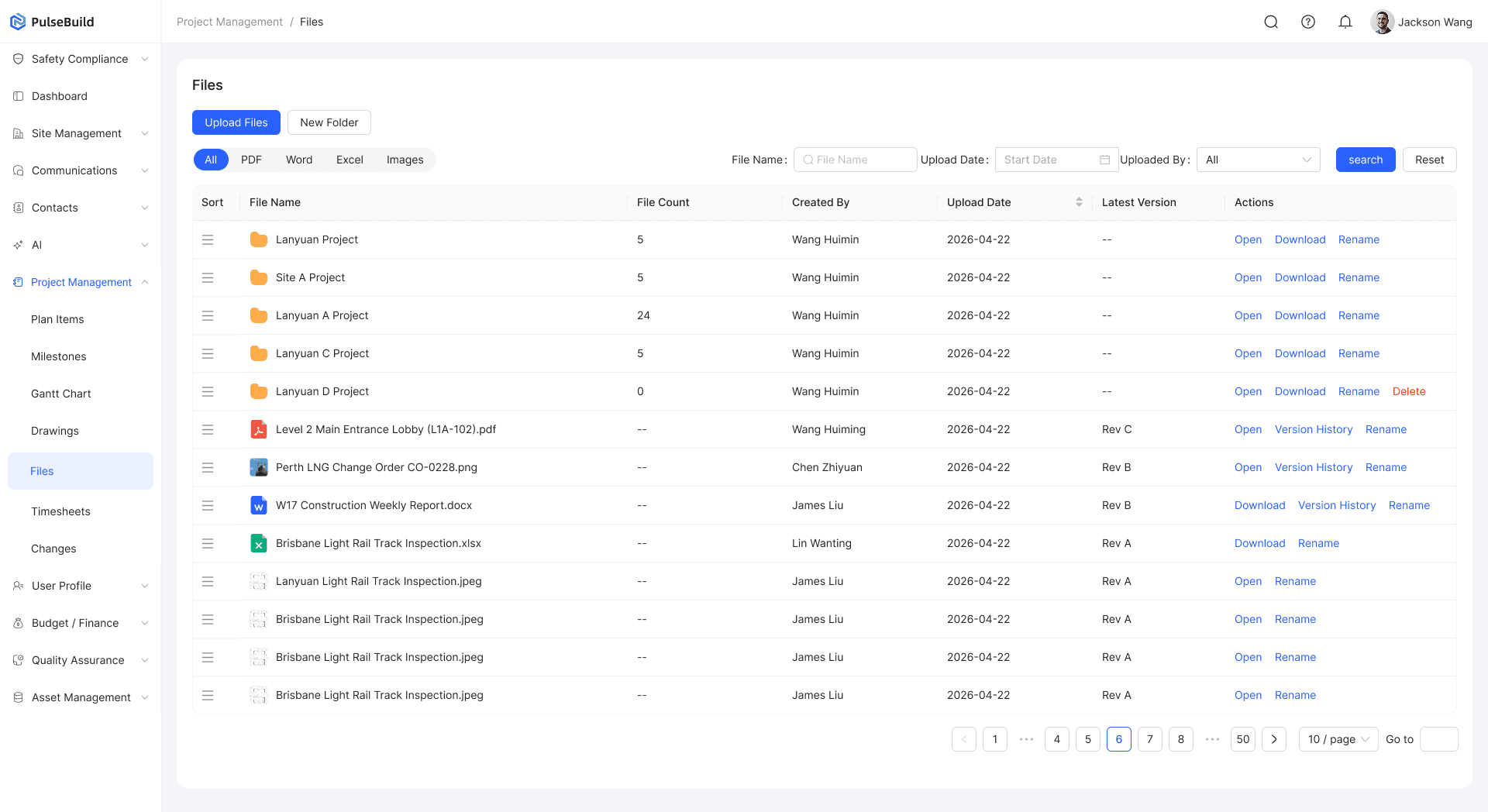
Keep important documents together in the project.
Store contracts, specifications, reports, photos and other project information in a clear, permission-controlled structure.
04PulseBuild AI
Go beyond storing information. Understand and use it faster.
PulseBuild AI can compare drawing versions, answer project questions and help identify important information across contracts and project documents.
AI drawing comparison
Compare versions and highlight meaningful change.
AI project Q&A
Find answers across drawings, contracts and files.
AI content review
Review dense project information faster.
PulseBuild
Bring your next project into focus.
See how PulseBuild fits the way you win work, manage delivery and keep your team connected.