SUPPORT

Help Centre

Plan & Project Management

Track project activity

Use the overview, plan and timesheets to understand current project movement.

3 min read  ·  Last updated: August 2026

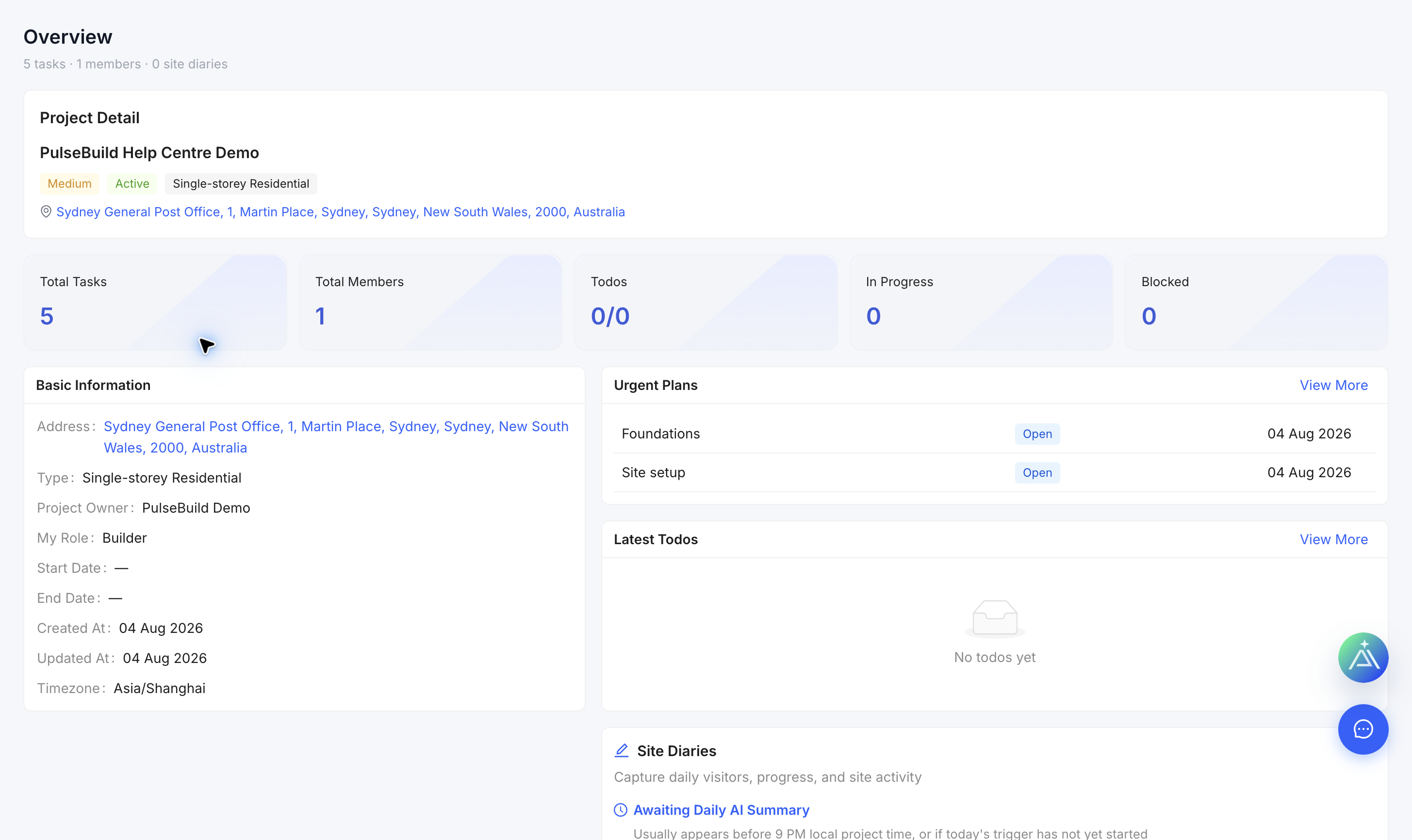
Project overview with active work
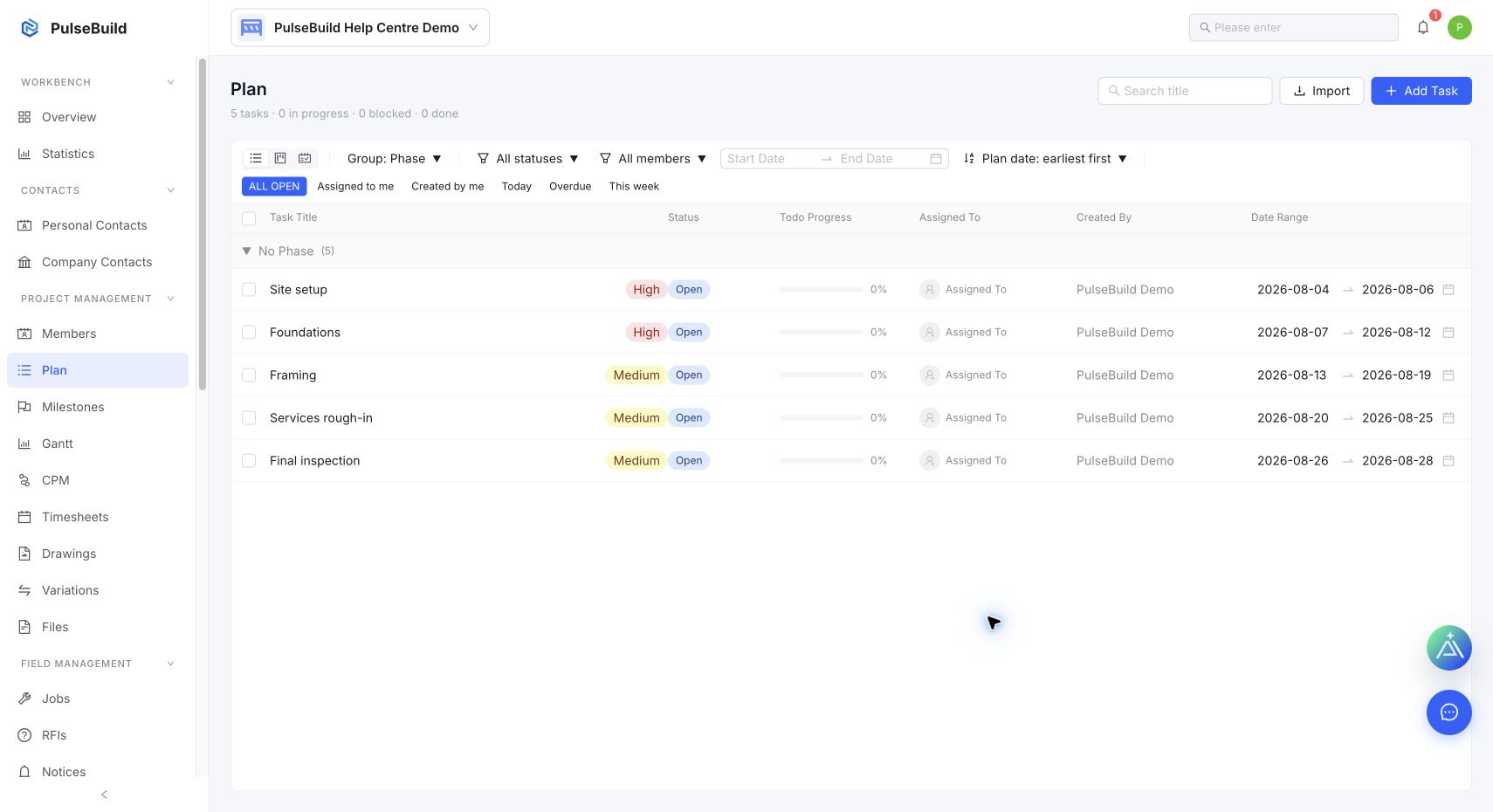
Populated plan workspace
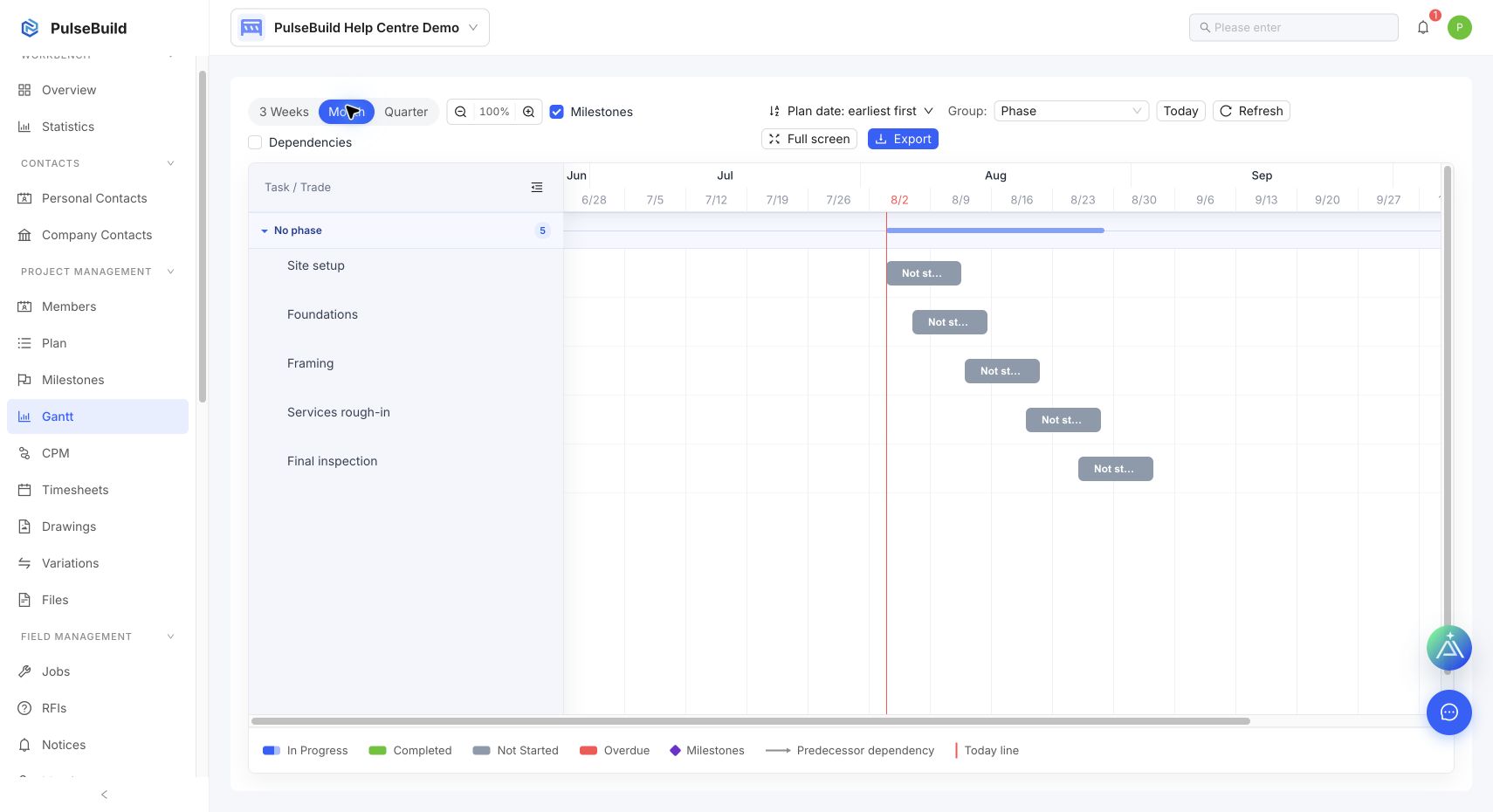
Populated project Gantt chart
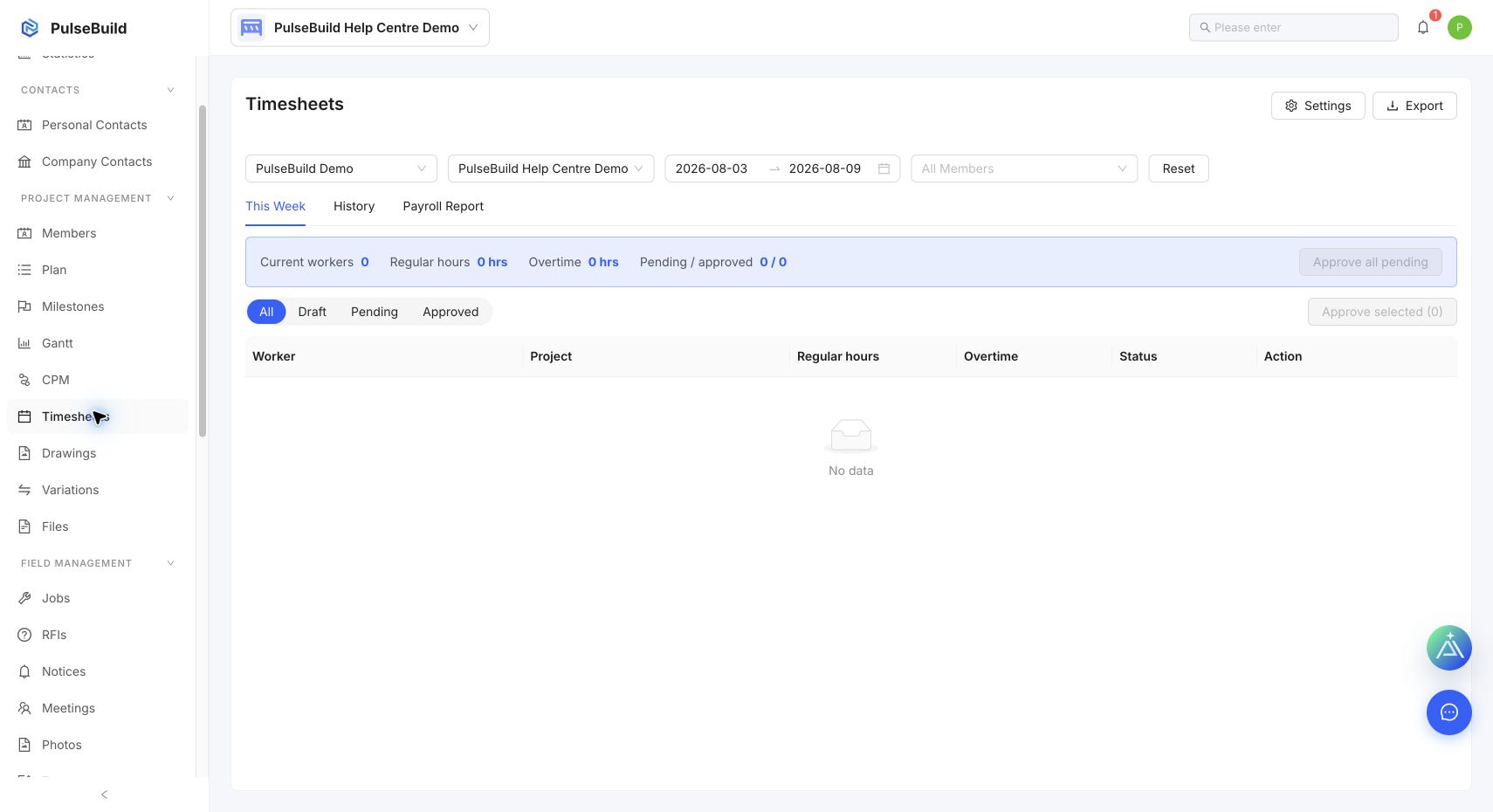
Project timesheets workspace

Review activity

  1. Open the project Overview for current workload and urgent items.
  2. Use Plan or Gantt to review dates, progress and dependencies.
  3. Review Timesheets for recorded labour activity.
  4. Open the source record before taking action on a summary.

Keep status meaningful

Update the plan item, Job, Defect or other source record as work changes so overview counts and reporting remain useful.